`

SALESSCREEN UPDATES - November

A quick look at just a few of our updates this month.

Blog
/
December 6, 2017
0 min read.

Company feed

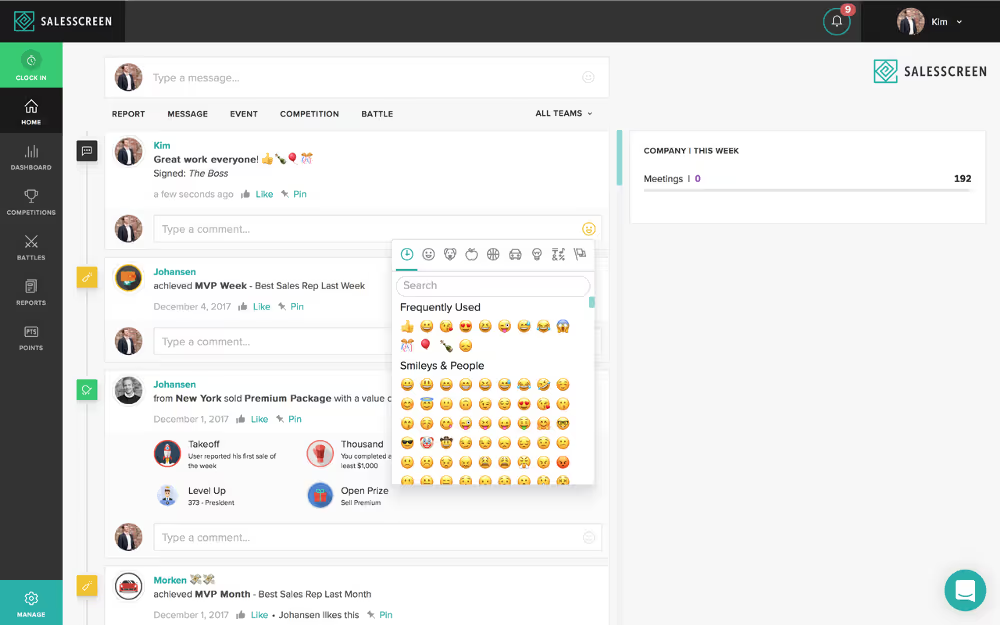
In November, we redesigned the company feed so that you can see more competition details in your web browser, such as competitors, prizes and winners. We also added an emoji picker so that you can react to messages with emojis, just as you do when texting friends or using social media. You can also edit your text with bullet points, italics, etc.
Sugar CRM integration

SalesScreen can now integrate directly with SugarCRM orgs and receive data either through pulling (REST API) or pushing (webhooks). The integration lets users choose which SugarCRM modules/entities should be visualized in SalesScreen and also allows them to define customizable filters. The integration also supports synchronization of deleted records.

'Quick Add' competitions

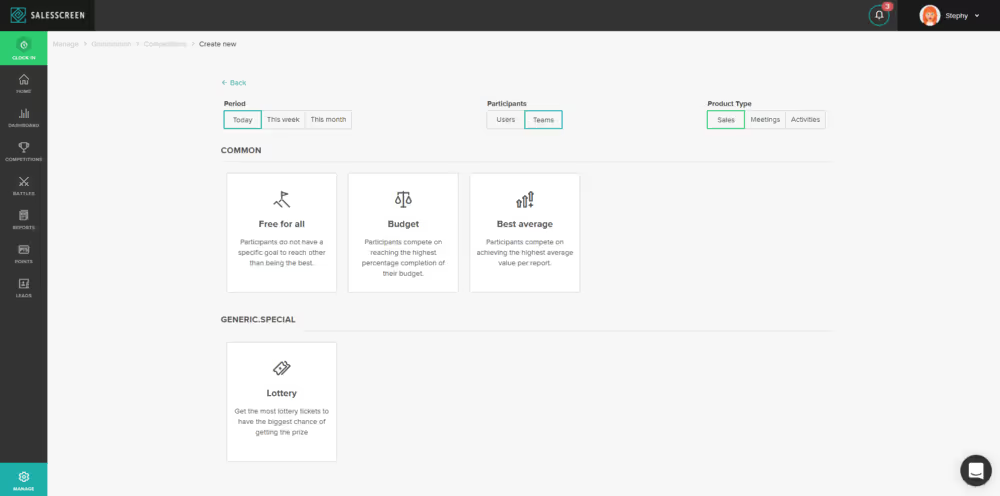
Quick Add competitions allow you to quickly create sales competitions the same way you can quickly add events and slides. Competitions are already easy to setup, but this feature should make it even easier!
Latest blog posts

Read More
sales team dashboard images on desktop, mobile, laptop.

Best Sales Dashboard Software: What to Look For

A checklist for evaluating sales dashboard software: where your data lives, how deep the integrations go, and how the right fit changes with team size.

September 16, 2026
Olga Karanikos
CMO, SalesScreen
Read More

10 Sales Performance Review Questions That Actually Work

Only 14% of employees say their performance review inspires them to improve. These 10 questions ground the conversation in data and end in a real commitment.

September 14, 2026
Sindre Haaland
Founder and CEO, SalesScreen
Read More

Sales Pipeline Dashboard: What to Track Stage by Stage

A pipeline dashboard with ten charts can still miss the one deal quietly going wrong. Here’s what to actually track at each stage, and the mistakes to avoid.

September 9, 2026
Olga Karanikos
CMO, SalesScreen
Thank you! Your submission has been received!
Oops! Something went wrong while submitting the form.